Green Thumb for the Pokemon Go Plus+
Introduction
I'm finally at a good enough place to do a full write up on what I've been working on.
I got back into Pokemon Go recently after a few years off and started looking into auto catchers. I wanted to catch Pokemon and spin Pokestops on walks without having my face in my phone the whole time. After a bit of research I found that the Pokemon Go Plus+ was Nintendo's latest device, and once I realized it doesn't just throw Pokeballs and spin stops, but also throws Great Balls and Ultra Balls, I knew I had to have one. To my surprise it had been "discontinued" (this was around August), so I checked a few online marketplaces and saw people charging $100+ for used ones and up to $300 for modded ones. Luckily they do pop up from time to time on Amazon and other retailers for around $59.99. I keep an eye on these links if you’re interested:
Amazon(Affiliate link)
I found the Pokemon Go Plus subreddit while trying to figure out what people were doing that justified an extra $200+ on what seemed like nothing more than a Bluetooth controller with some LEDs. I was taken aback by the amount of tech gore, but I was also really intrigued by the modding scene. It didn't take long to see that people were automating the PoGo Plus+ in a lot of different ways. Most of the pictures were wires and switches, which work just fine, but I wanted something more elegant.
Green Thumb
A few threads in, I knew exactly what I wanted to do. The button PCB could be wired up to auto catch without touching the main board at all. The idea really came from a thread by u/spacefrog_feds that used a MOSFET and a diode. From there I decided to make a flex PCB that would piggyback neatly on the button board and just work. Coming from the Game Boy modding scene, I already had some experience making PCBs, so I got to work.
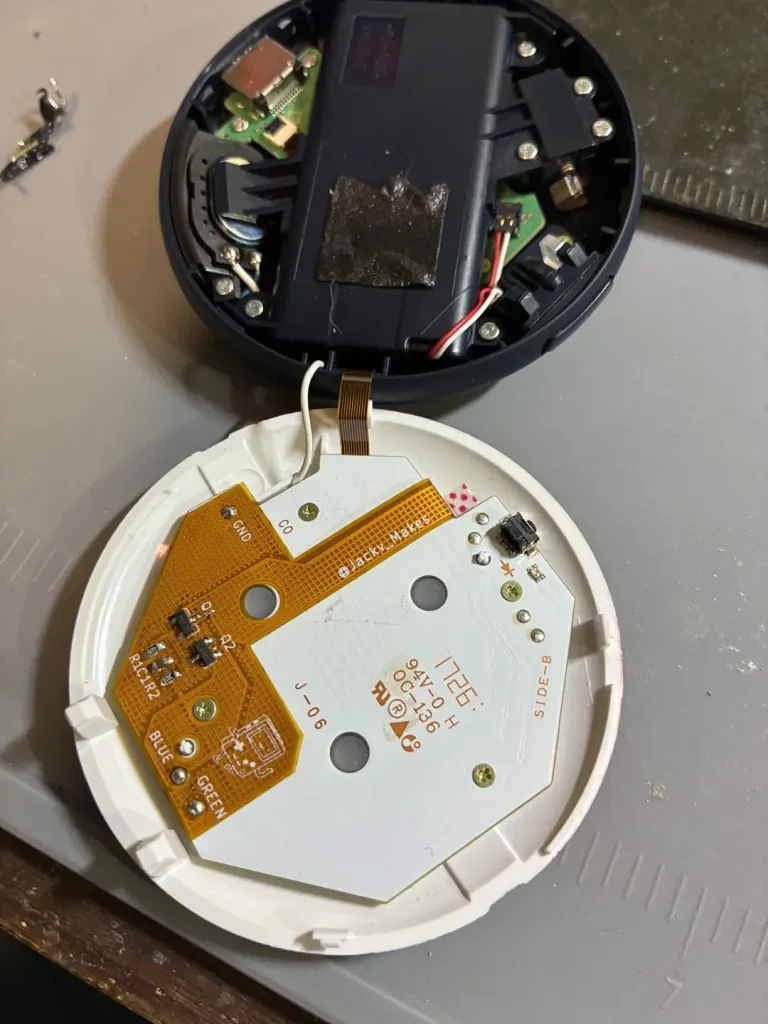
I've been documenting my progress whenever I've had the chance. At first I didn't even have a PoGo Plus+, so I worked off pictures online and modeled something that looked roughly like the button PCB. Then I modeled the flex PCB in KiCad, and it took a lot of modeling, 3D printing and fit tests to get something somewhat usable. It wasn't until I actually got my hands on a PoGo Plus+ that I could do any real work. I remodeled the flex PCB to fit the real shape of the board, then started digging into the components and routing.
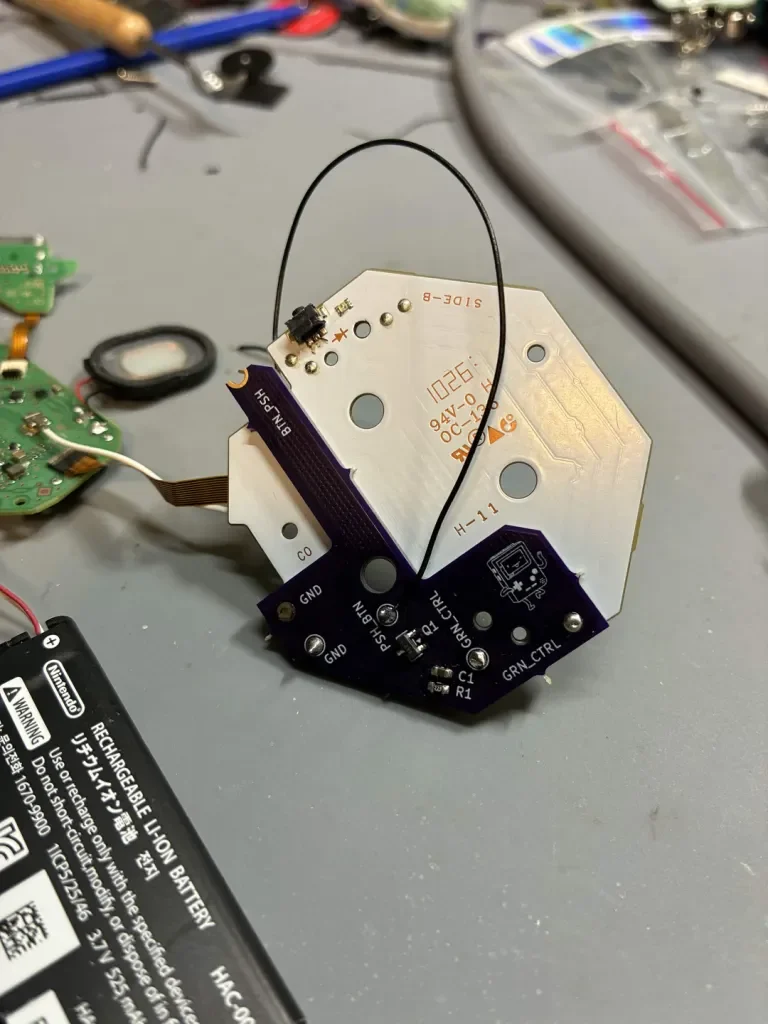
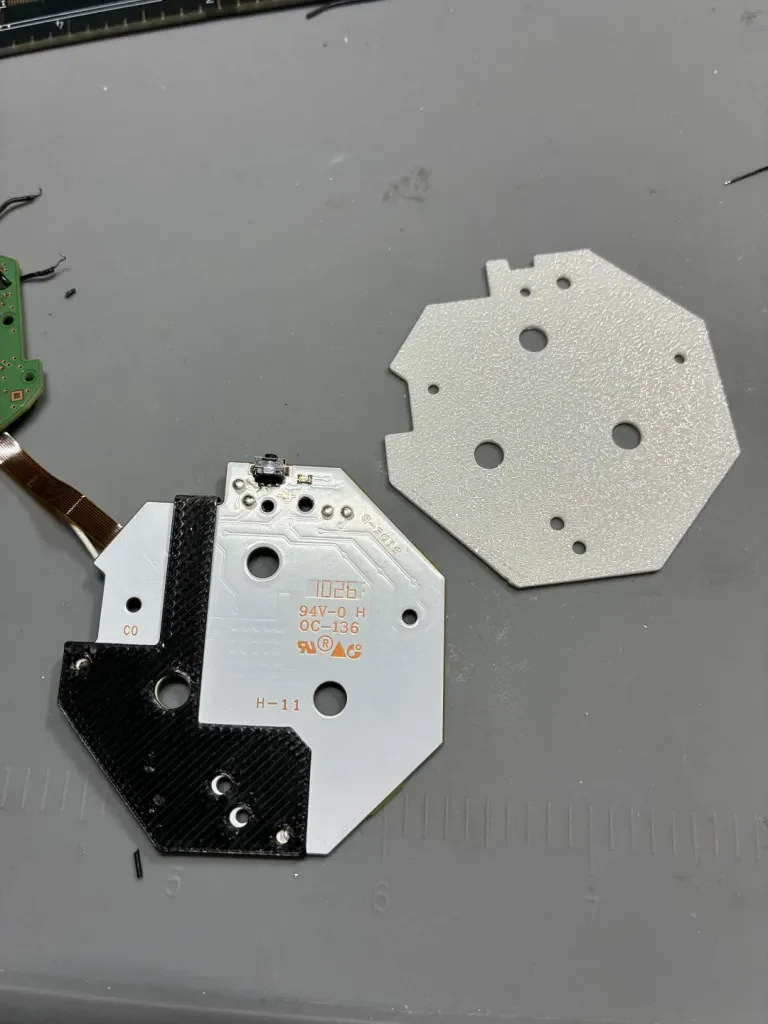
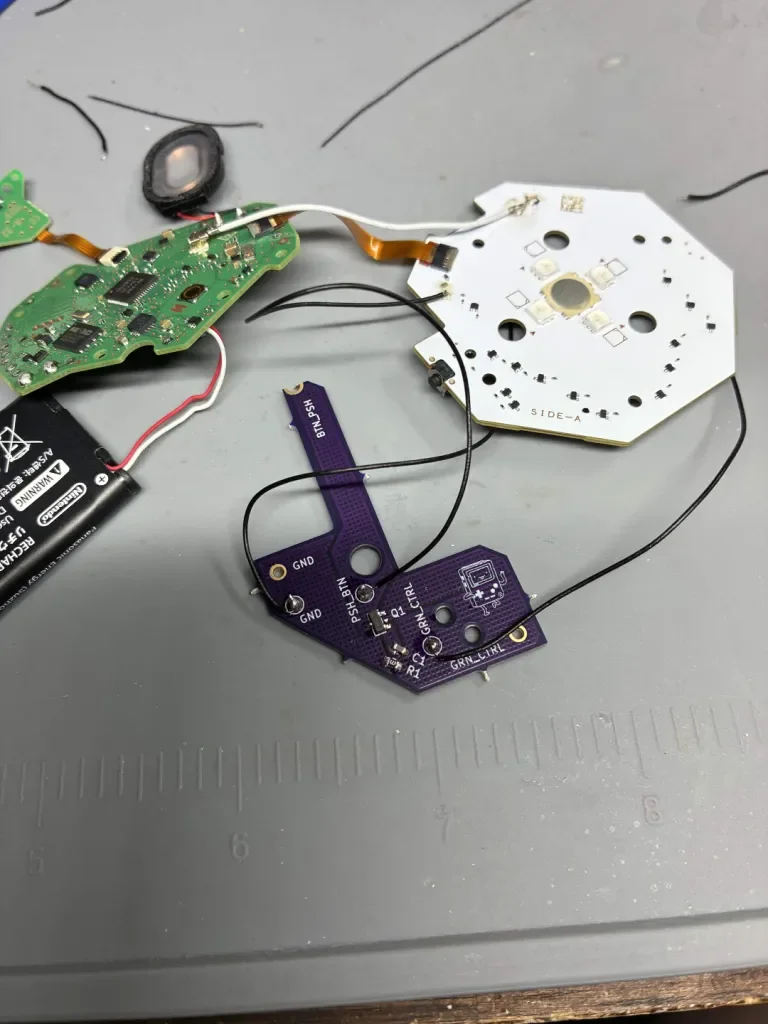
The prototype worked as expected, so I ordered flex PCBs for a final test. When they arrived, the fit was almost perfect apart from a few holes being slightly off center, and the pads soldered onto the back of the button board perfectly.
The White LED Loop
After a few days of testing and sharing, I ran into the same issue a lot of people before me have. The mod basically comes down to "press the button when the green LED is lit," so any time green has voltage, the button gets pressed. That's not a big deal while it's connected, but when the PoGo Plus+ disconnects, it goes into pairing mode and the LEDs flash white. On this device, white is green, red and blue together, so every white flash triggers another button press and it just keeps going.
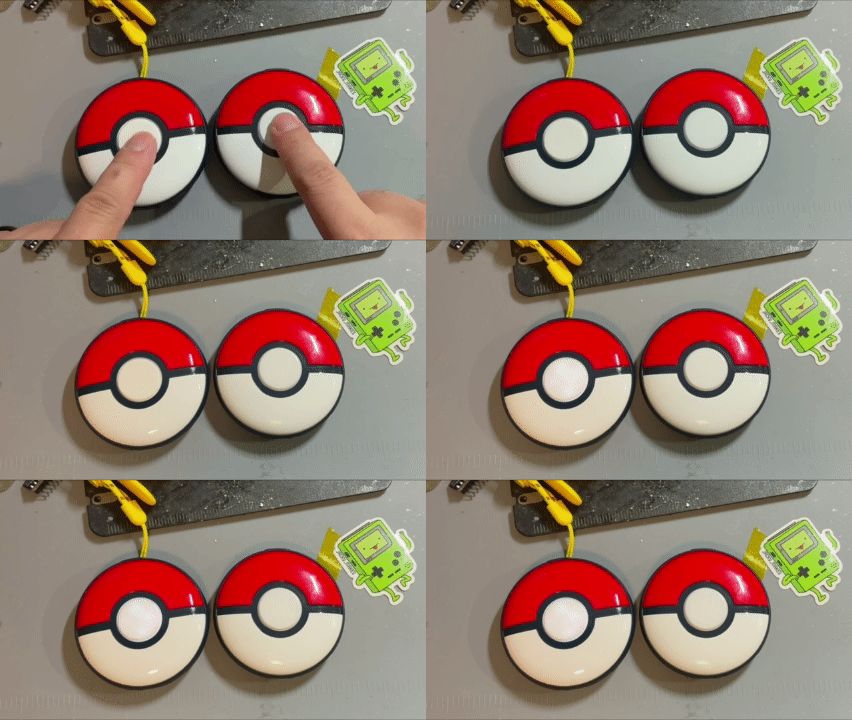
The fix for my flex PCB was simple enough: block the button press whenever blue is on along with green. That made the most sense because blue is usually the color for a Pokestop, and if you have auto spin turned on, you can just ignore it. Green and red make yellow, and since the block only looks at blue, a new Pokemon will still trigger the button automatically, so you don't have to press it yourself.
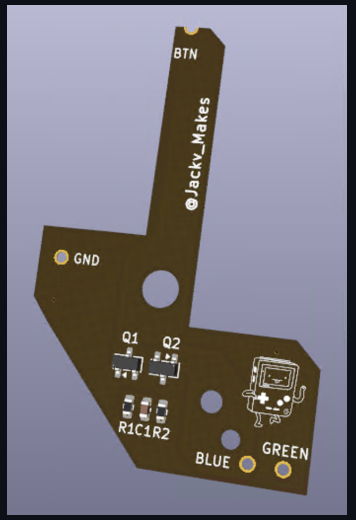
Documentation and more info:
GitHub:
https://github.com/Jackv-makes/Green-Thumb
Conclusion
I recently got the latest revision of the flex PCB. The solder points have been moved around to line up better with the button board, there are now extra components to stop the infinite white flash, and after a few hours of testing it works like a charm. I'm happy with where it stands, and I hope it helps anyone else who's been fighting the white LED loop.